Pantrini

Know what is in your kitchen

Pantrini keeps track of what you have, warns you before it goes off, and builds the shopping list as things run low. One subscription covers everyone you live with.

Android. 7 days free, no card needed to start.

What it does

Four things, done properly

No recipes, no meal plans, no social feed. It keeps an accurate picture of your kitchen and tells you when something needs attention.

Everything you have, in one list

Add by scanning a barcode or by typing a name. Amounts, units and expiry dates, kept per pantry so a fridge and a cupboard stay separate if you want them to.

Alerts before food goes off

Set how many days of warning you want and Pantrini tells you while there is still time to use something, rather than after you have already thrown it away.

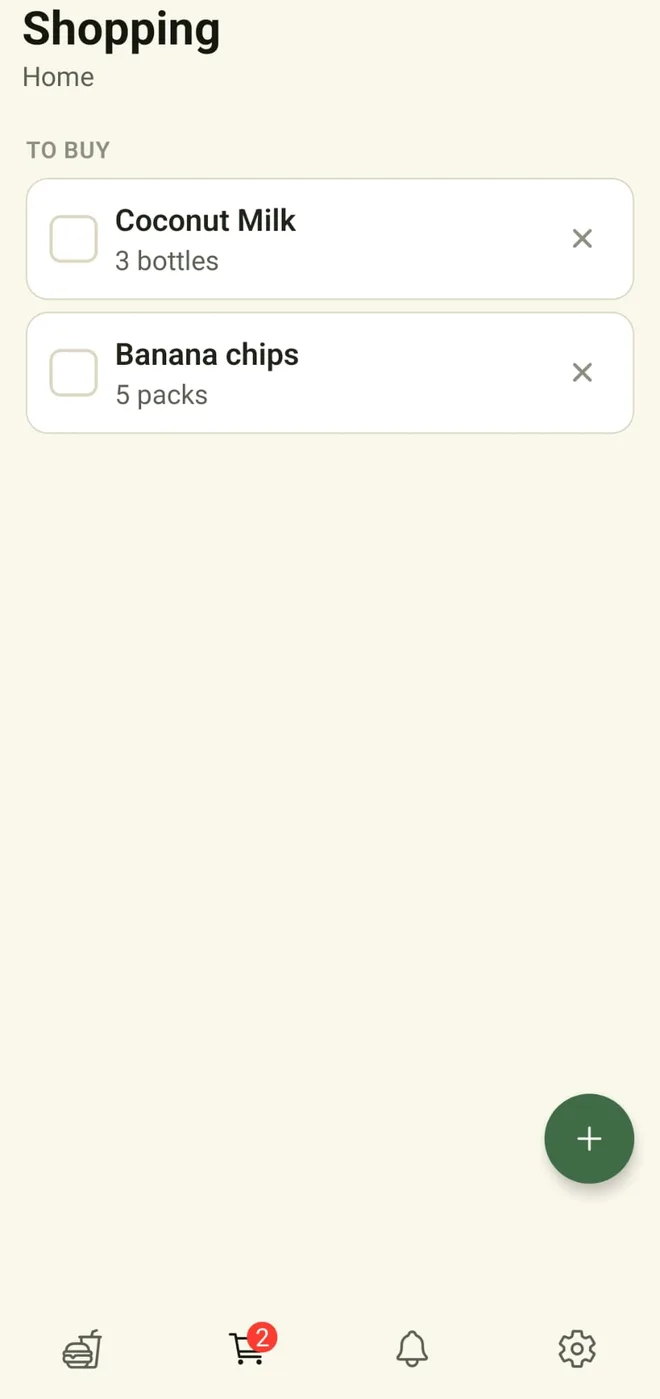
A shopping list that fills itself

Anything that runs out is added for you. Tick things off in the aisle, then put the shopping away in one go when you get home, with the amounts and dates already filled in.

Shared with the whole household

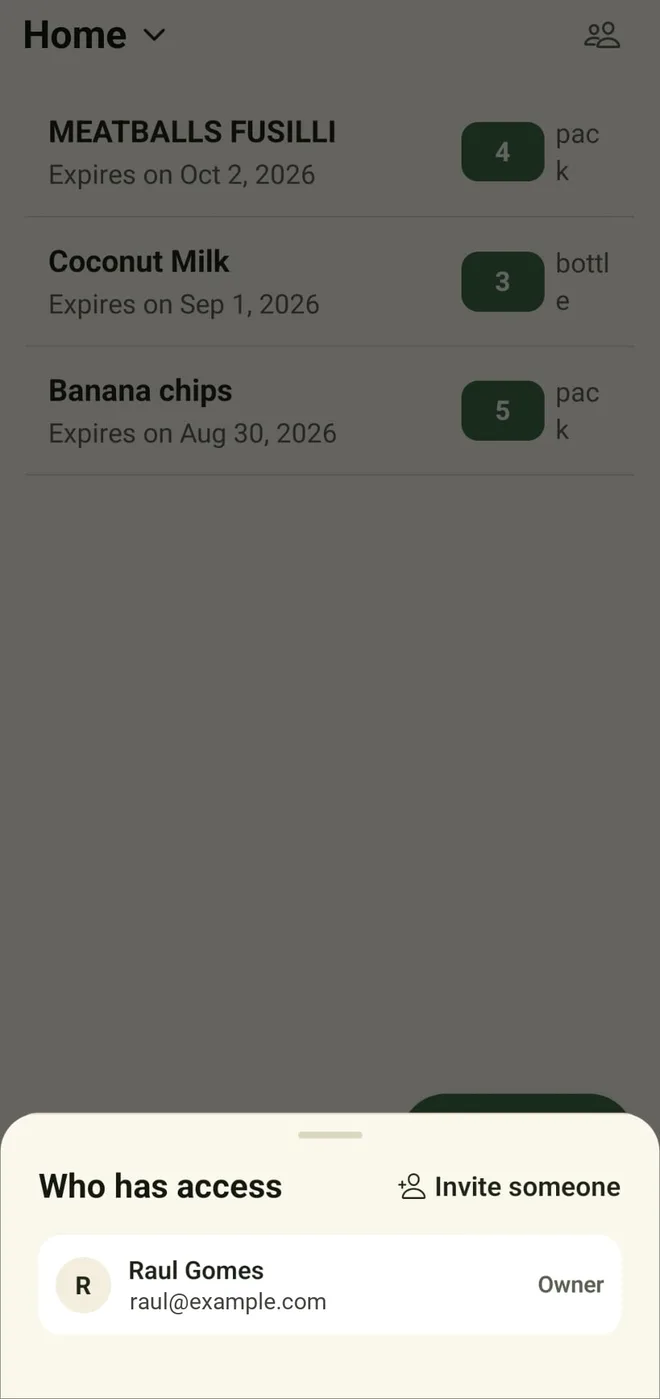
Invite the people you live with. Everyone sees the same cupboard and the same list, so nobody comes home with a third jar of paprika. They pay nothing.

How it works

Three steps, then it looks after itself

1

Put your shopping in

Scan the barcode or type the name. Pantrini remembers what a normal pack of it looks like and fills the rest in next time.

2

Use things as normal

Tap an item and say how much you used. That is the only upkeep there is.

3

Get told what needs attention

Running low, running out, or about to go off. Each one lands on your list or your alerts without you asking.

The app

What using it actually looks like

Real screens from the Android app.
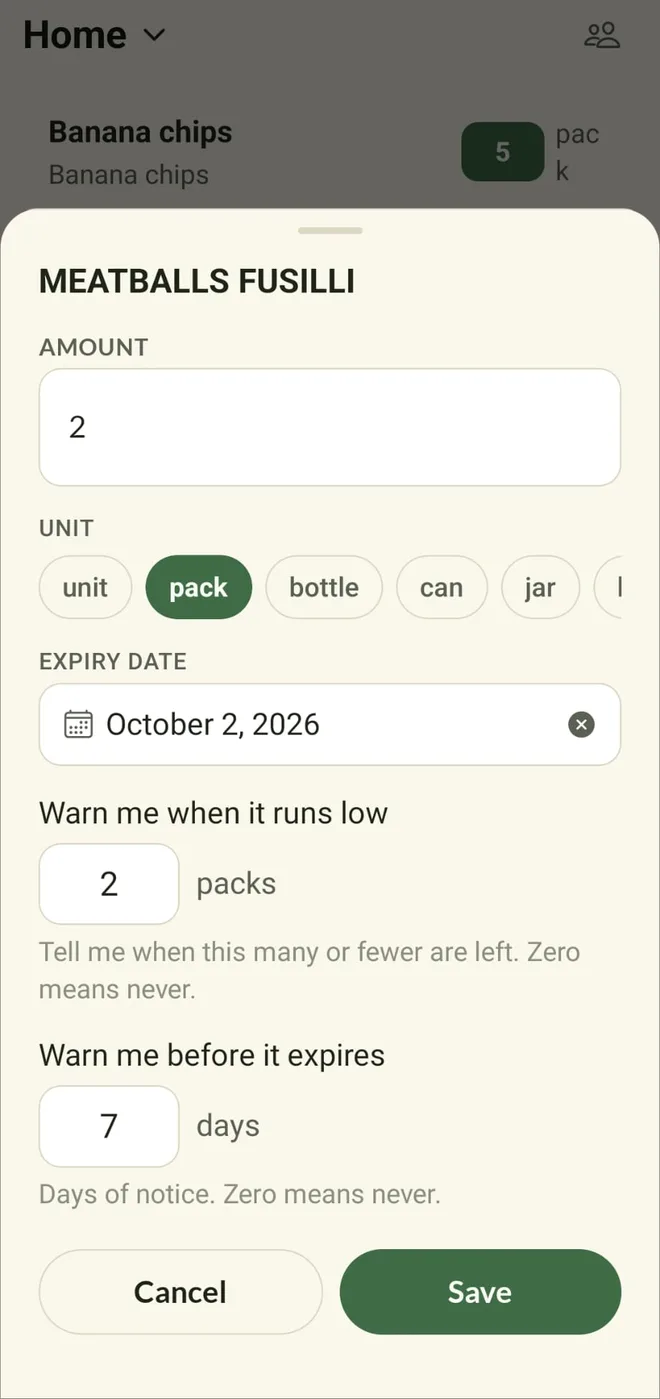
Editing an item: amount, unit, expiry date and warnings
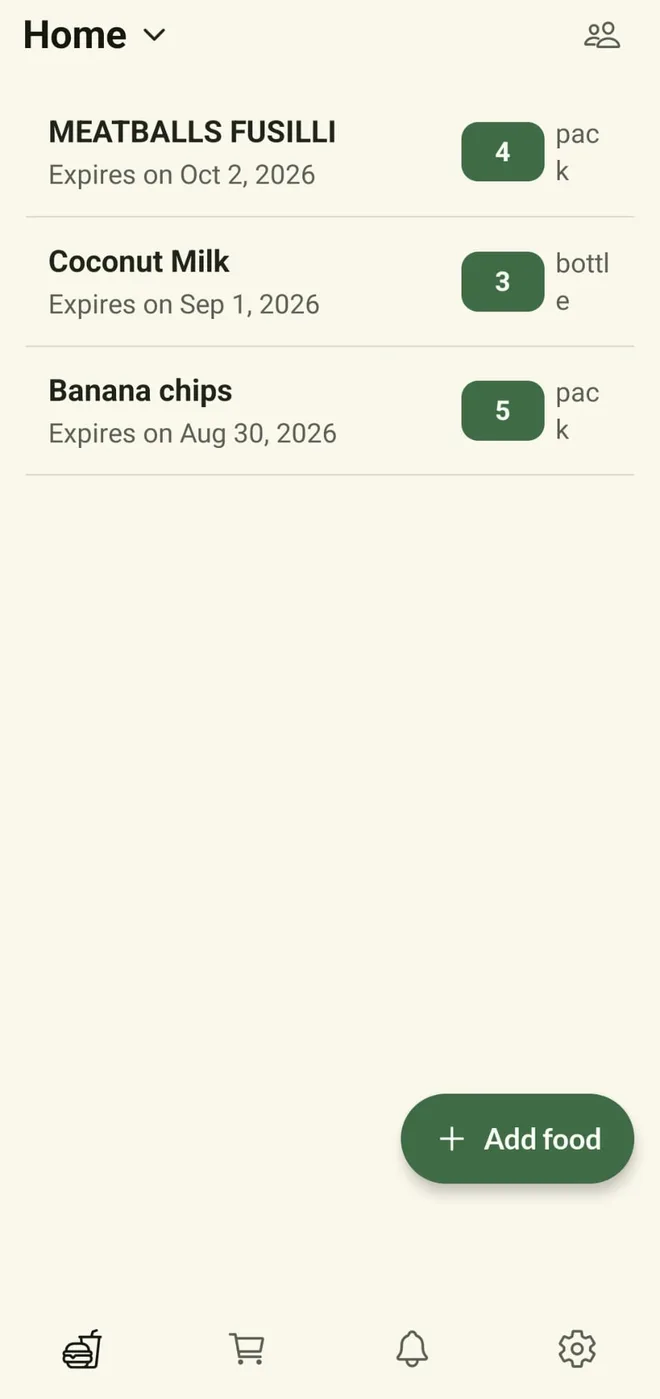
The pantry list, showing amounts and expiry dates

Your pantry

Everything you have, on one screen

Amounts, units and expiry dates, kept per pantry so the fridge and the cupboard stay separate if you want them to.

  • How much of each thing is left, at a glance
  • The date it goes off, on the row
  • Tap anything to change amounts, dates or warnings
  • Switch between pantries from the title
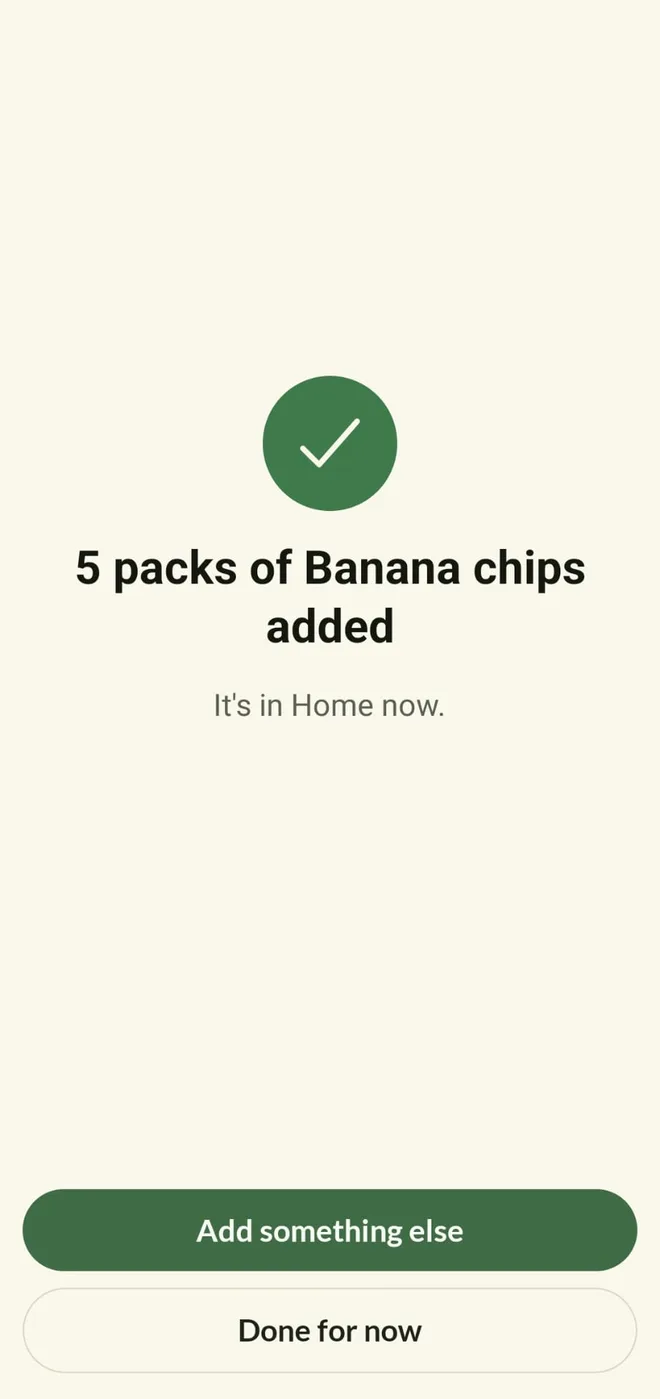
Confirmation that five packs were added to the pantry
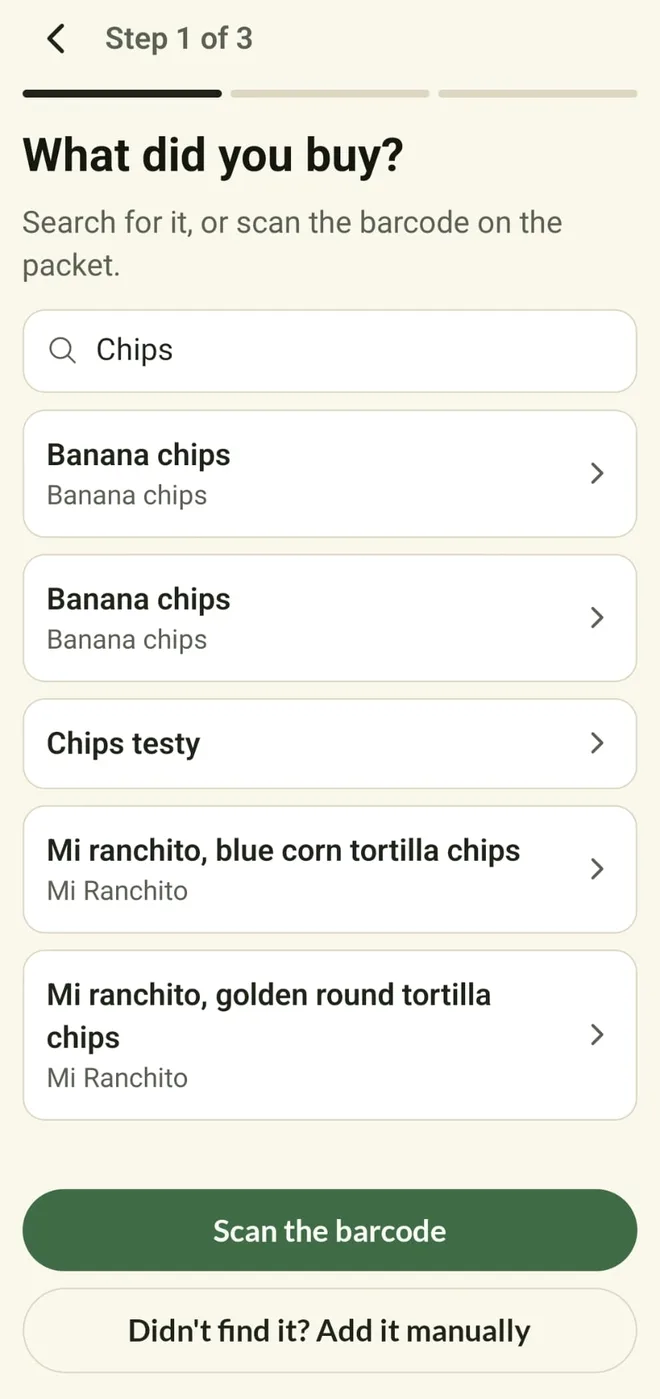
Searching for a product, with a scan-the-barcode button

Putting it in

Adding the shopping takes seconds

Scan the barcode or type the name. Pantrini remembers what a normal pack of it looks like and fills the rest in next time.

  • Barcode scanning, with a search box when the packet has no code
  • Amount, unit and expiry suggested from last time
  • Three steps, then it is in
  • Add another straight away, or stop
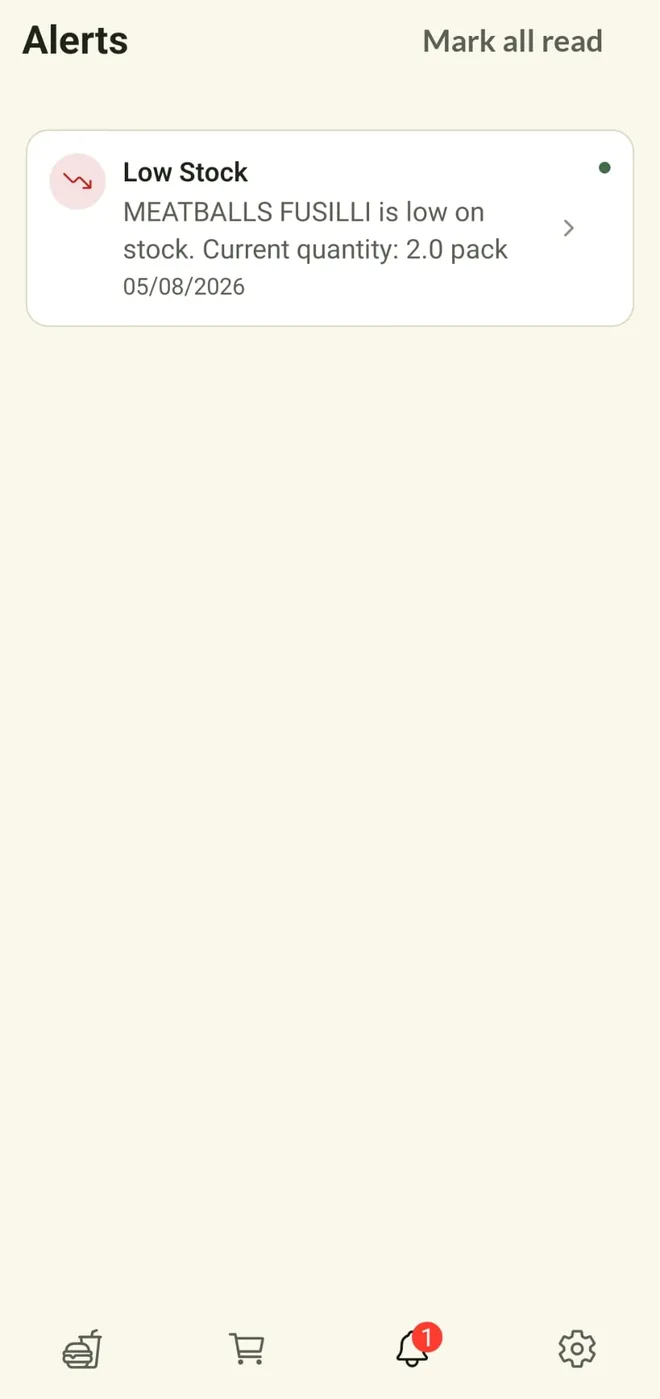
An alert saying an item is low on stock
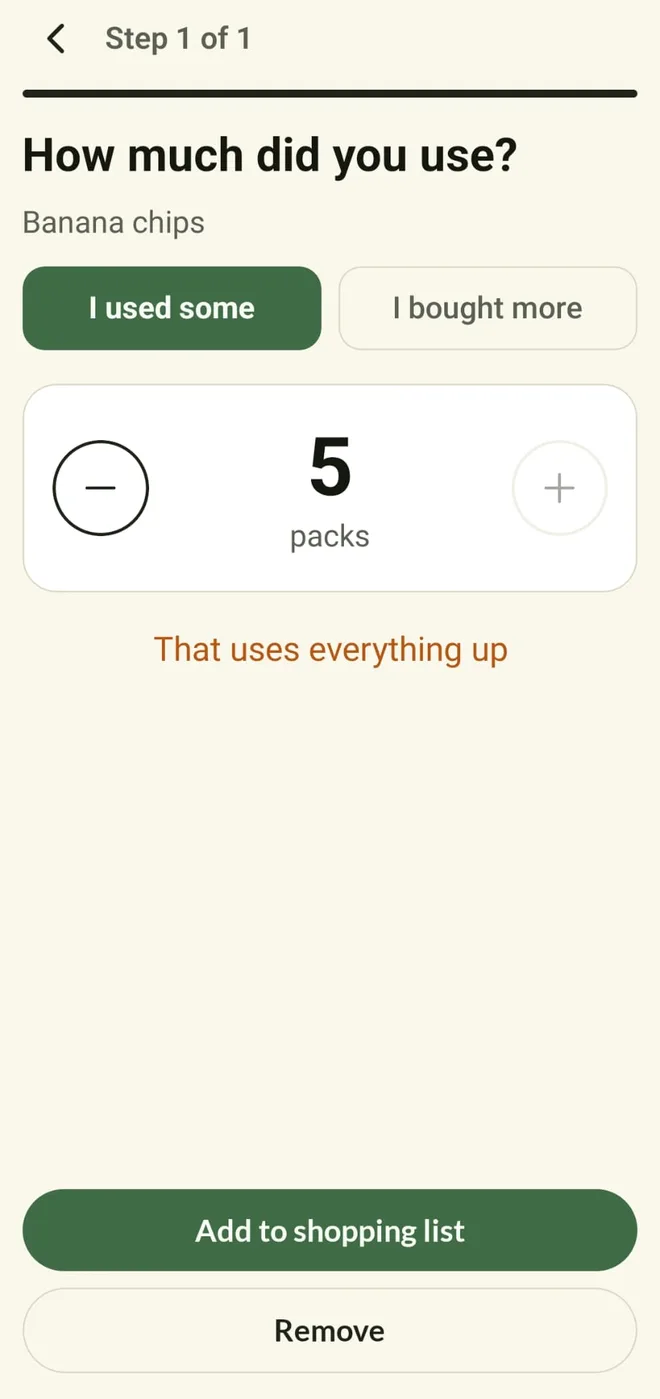
Recording how much of an item was used

Keeping it honest

Say what you used, and it tells you the rest

Tapping the amount is the only upkeep there is. Everything else — running low, running out, about to go off — comes to you.

  • One tap to say how much you used, or that you bought more
  • Told while there is still time to use something up
  • Low-stock warnings at the level you choose, per item
  • Zero means never, if an item is not worth chasing
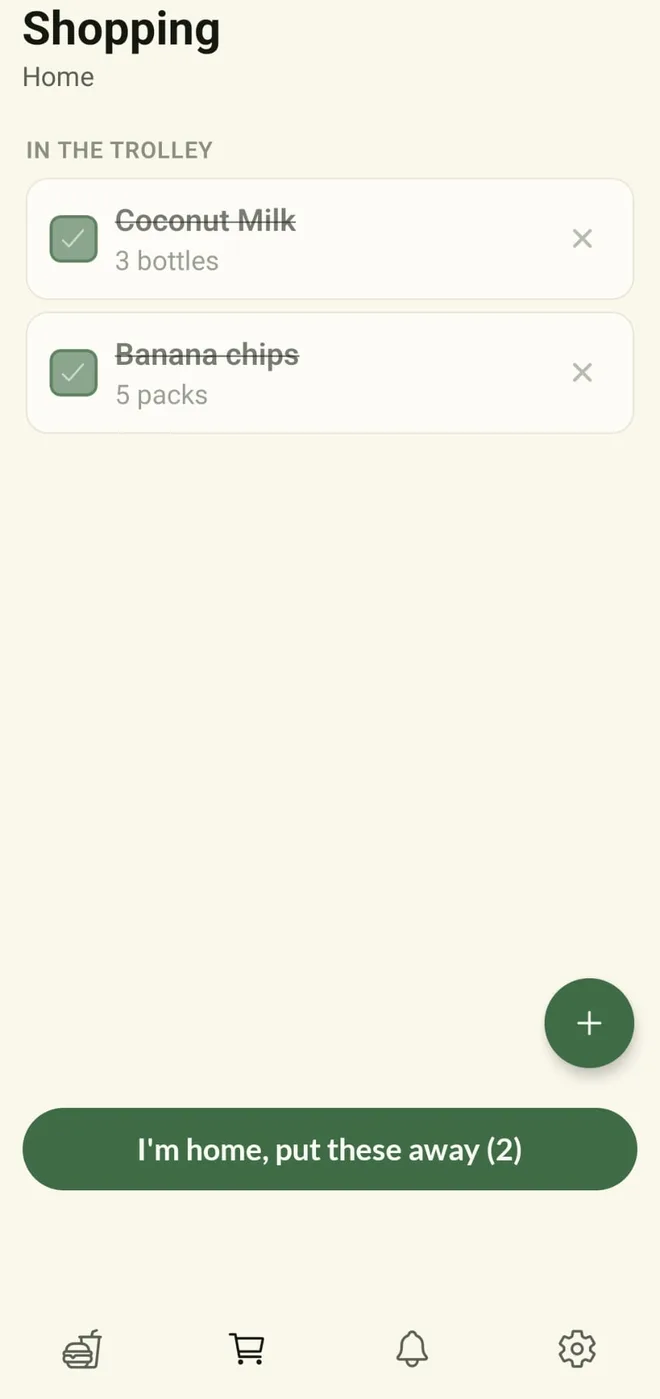
Items ticked off in the trolley, ready to be put away
The shopping list, with items still to buy

The shopping list

The list fills itself as things run out

Anything that runs low is added for you. Tick things off in the aisle, then put the whole trolley away in one go when you get home.

  • Nothing to write down — running out is what adds it
  • Tick items off as you find them
  • One button puts everything you bought back in the pantry
  • Amounts and dates carried over, not typed again
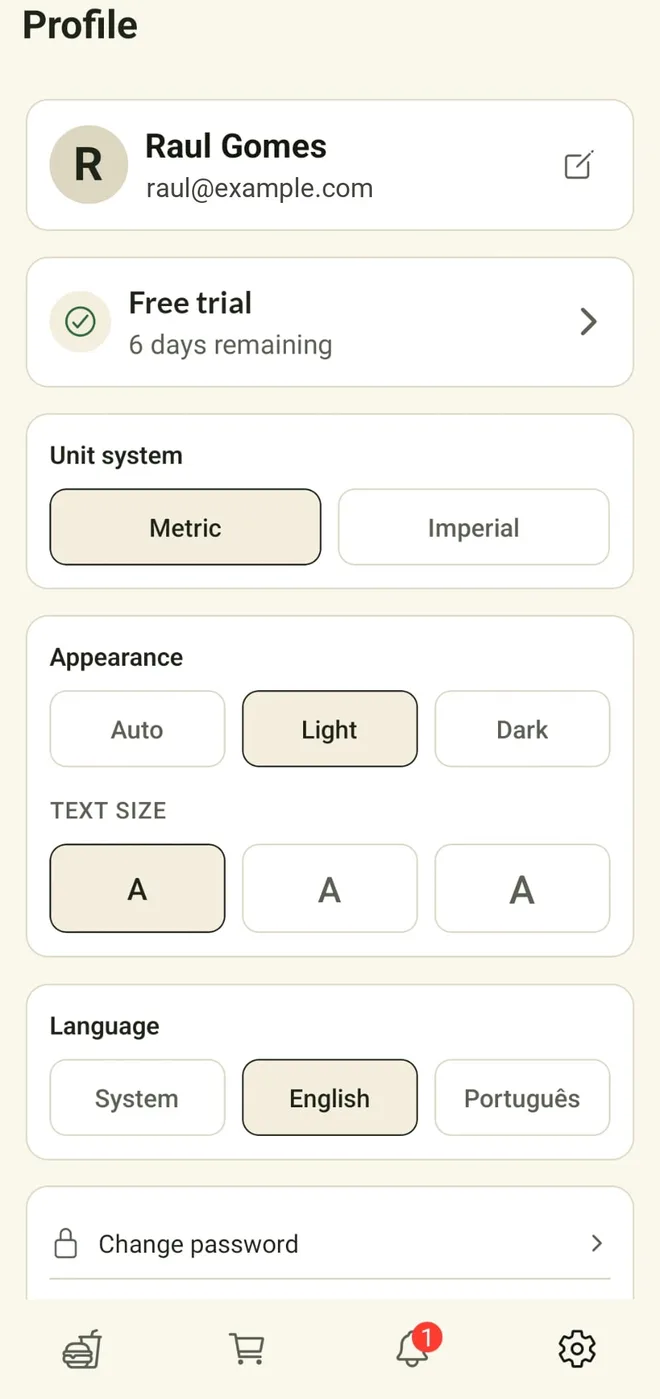
The profile screen: subscription, units, theme and language
Who has access to a pantry, with an invite button

The household

Shared with the people you live with

Invite everyone at home and they see the same cupboard and the same list, on their own phone. They pay nothing.

  • Invite by email, and take access away again
  • Owner, editor or viewer, per person
  • Nobody comes home with a third jar of paprika
  • Light or dark, larger text, English or Português

Pricing

One subscription for the whole house

Not per person. Everyone you invite to your pantries is included and pays nothing. Start with 7 days free, and no card is needed until you decide to keep it.

€2.99
per month, billed monthly
  • Unlimited pantries and items
  • Everyone in your household included
  • Expiry and low-stock alerts
  • Barcode scanning and the shopping list
  • Cancel any time
Best value
€24.99
per year, billed annually
  • Unlimited pantries and items
  • Everyone in your household included
  • Expiry and low-stock alerts
  • Barcode scanning and the shopping list
  • Cancel any time
What happens when the free trial ends?

Your pantry becomes read only. Everything you entered is still there and still visible; you just cannot add or change anything until you subscribe. Nothing is deleted.

How do I cancel?

From your profile in the app, which opens the billing page. Cancelling stops the next payment and you keep access until the end of the period you have already paid for.

Can I get a refund?

Yes. As a consumer in the European Union you have 14 days from purchase to change your mind, and we will refund it. Beyond that, if something has gone wrong, write to [email protected] and we would rather sort it out than argue. The full terms are in the terms of service.

Does everyone in my house need to pay?

No. One subscription covers a household. Whoever owns a pantry pays for it, and everyone invited has full access at no extra cost.

What do you do with my data?

Store your email address and the contents of your pantry, and nothing else. No advertising, no tracking, and nothing sold to anyone. Deleting your account deletes your data. The detail is in the privacy policy.

Where can I get it?

Pantrini is an Android app, currently with a small group of testers while it is finished. Email [email protected] to be added. A Google Play listing is on the way.